


TL;DR:
- The first 30 minutes after an accident are critical for collecting evidence and ensuring swift claim resolution.
- Proper scene management, timely documentation, and adherence to reporting deadlines protect your fleet and improve outcome reliability.
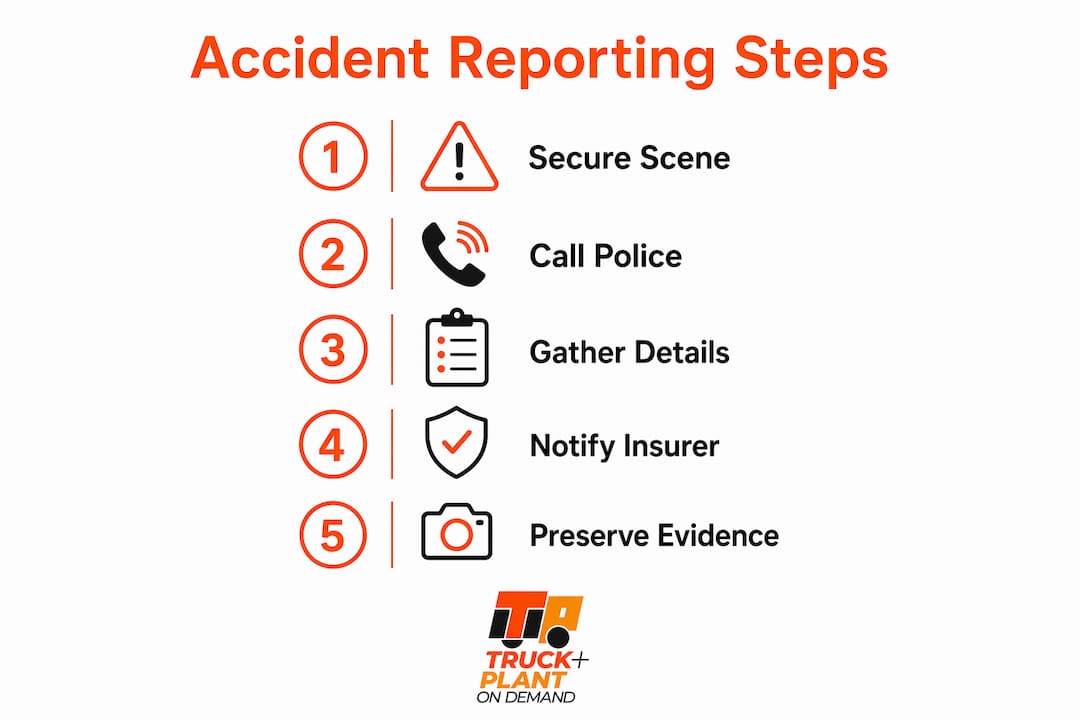
When an accident happens, the first 30 minutes determine whether your claim is settled quickly or drags on for months. Here is the six-step process every fleet operator and plant hire business should follow immediately.
- Stop, secure life, call 911 if anyone is injured or if traffic is blocked.
- Document the scene before moving anything: multi-angle photos, video, timestamps, vehicle IDs, ground scars, and debris placement.
- Exchange basic information (name, phone, vehicle ID, insurer) but decline recorded statements—provide a written, time-stamped account later.
- Notify your fleet manager and insurer within 24 hours and check your state DMV filing deadline (commonly 5–10 days in many states).
- Arrange authorised towing and preserve dashcam and telematics data before power loss; secure witness contacts.
- Open an internal incident file with a signed, time-stamped driver statement and feed all items into your digital claims workflow, such as the Truck & Plant On-Demand™ claims portal.
Pro Tip: The first 30 minutes after a crash have the greatest impact on claim outcomes. Treat that window as your evidence-collection deadline.
Table of Contents
- How do you secure life and control the scene?
- What are the police and regulatory reporting requirements?
- What should drivers say (and not say) at the scene?
- What evidence do digital claims systems actually need?
- How do you notify your insurer and file the initial claim report?
- Who authorises towing and how do you protect the evidence?
- What happens after you report: the claims timeline
- How do you use incident reports to prevent future accidents?
- How does on-demand insurance speed reporting and recovery?
- Your on-scene checklist and sample incident report template
- Key takeaways
- Why precise reporting is the most underrated fleet asset
- Flexible cover and faster claims for your fleet
- Useful sources and references
How do you secure life and control the scene?
Life and safety come first, without exception. Check every person involved for injuries, call 911 immediately if anyone is hurt, and keep bystanders away from fuel spills, unstable plant machinery, or live cables.
Once the immediate threat is managed:
- Move vehicles only to prevent secondary collisions, and photograph original positions first if it is safe to do so.
- Establish a perimeter and restrict scene access. NTSB guidance stresses limiting who enters the scene to protect ground scars and other evidence that disappears quickly.
- Record the time of every action: arrival, calls made, vehicle moves. Those timestamps feed directly into digital claims systems and later investigations.
- Note environmental conditions: weather, lighting, road surface, and any visible hazards.
Pro Tip: Equip every cab with a small scene-preservation kit: reflective cones, adhesive markers, evidence tags, and a laminated checklist. Drivers who have the tools act faster and lose less evidence.
What are the police and regulatory reporting requirements?
Call 911 for injuries, fatalities, or blocked traffic. For property-damage-only incidents, use the non-emergency police line when damage exceeds your local threshold.
State DMV filing deadlines matter. Many states require a written DMV report within 5–10 days when damage or injury thresholds are exceeded, and failure to file can trigger licence suspension or administrative penalties. New York State, for example, requires a crash report when any person is injured or killed, or when property damage to an individual exceeds the state’s threshold. Oregon’s Division of Financial Regulation outlines similar insurer-notification and DMV thresholds for written reports.
For commercial vehicles, FMCSA federal reporting obligations apply to crashes involving hazardous materials, fatalities, or passenger transport. Check FMCSA guidance for your specific operation.
At the scene, capture:
- Officer name, badge number, and agency
- Police report number (request it before leaving)
- Instructions for filing a change or late report if details emerge later — police crash-report manuals define these procedures
Pro Tip: Keep a state-threshold quick-reference card in every cab or driver app, covering every jurisdiction your fleet operates in. Missed deadlines pose a significant administrative risk that can be minimized by proper procedures.
What should drivers say (and not say) at the scene?
Drivers should give basic factual information: name, phone number, vehicle ID, and insurer details. That is where it stops. Current guidance advises drivers to decline recorded statements at the scene and offer a written, time-stamped narrative instead.
Recorded statements made under stress lock in inaccurate or incomplete admissions that complicate liability later. A written account, prepared calmly and reviewed before submission, gives your claims team far better material to work with.
Use this phrasing when declining:
Internally, drivers should notify the fleet manager immediately, log the event in the company incident system, and direct all external enquiries to a single designated contact. Never admit fault, speculate about another party’s intent, or estimate speeds unless you are certain. Stick to observable facts: time, location, and sequence of events. Legal guidance is clear that insurers and courts parse wording to infer negligence, so disciplined, factual language protects your business.
What evidence do digital claims systems actually need?
Objective, time-stamped photos and telematics files are the fastest route to a correct coverage decision. NTSB guidance treats scene photos and witness data as the backbone of digital claims workflows, and early high-quality evidence reduces manual adjuster follow-up significantly.
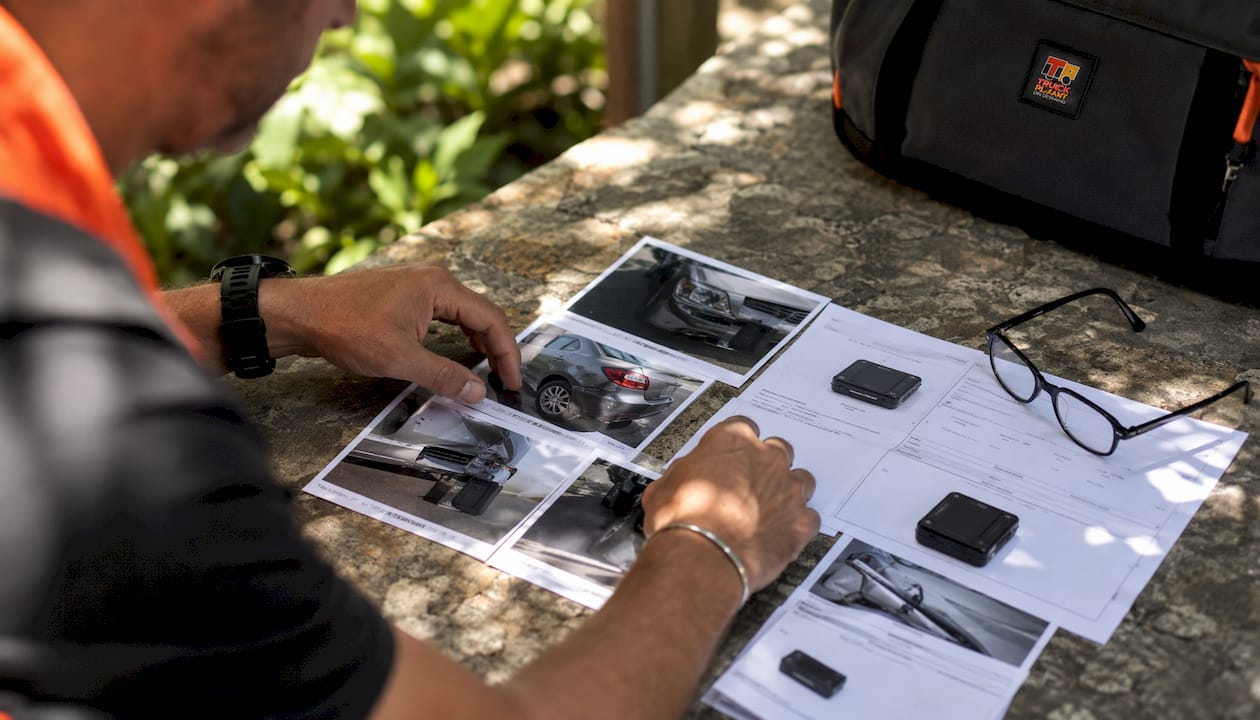
Capture these items at every incident:
| Evidence item | Why it matters | Preferred format |
|---|---|---|
| Multi-angle vehicle/equipment photos | Establishes damage extent and positions | Photo (min. 8 angles) |
| Ground scars, skid marks, debris | Disappear rapidly; decisive for liability | Photo + video |
| License plates and VIN/asset IDs | Links vehicle to policy and registration | Photo |
| Traffic signs, road surface, weather | Contextual factors for liability | Photo |
| Dashcam clip | Objective sequence of events | Video file |
| Telematics export | Speed, braking, location data | Raw data file |
| Signed driver statement | Factual narrative for claims file | PDF, time-stamped |
| Witness name, phone, and contact | Independent corroboration | Written note or app field |
Metadata matters as much as the files themselves. File timestamps, device GPS coordinates, and witness contact fields reduce manual follow-up from adjusters and speed the coverage decision. Using logistics document automation tools to structure and upload evidence packages can cut adjuster review time further.
Pro Tip: Export telematics and dashcam clips immediately and generate a checksum or hash of each file. That hash proves file integrity and supports chain-of-custody if the claim is disputed.
How do you notify your insurer and file the initial claim report?
Notify your insurer and your internal claims lead within 24 hours, with facts only. Many carriers have specific acknowledgement windows and cooperation requirements; missing them can affect cover.
Include in your initial notification:
- Policy number and vehicle/asset ID
- Driver name and contact details
- Date, time, and location of the incident
- Police report number (if available)
- Brief objective statement: what happened, sequence of events
- Photo and dashcam clip identifiers
- Witness contacts
- Any injuries or third-party property damage noted
Internally, open a dedicated incident file, assign a claims lead, and preserve payroll and shift records. Document any downtime or hire costs from the start — those figures support loss-mitigation recovery. Structure your digital folder to match your insurer’s upload fields. For Truck & Plant On-Demand™ users, aligning file naming to the claims portal fields reduces friction and speeds triage.
For clean claims submission, the goal is to give adjusters everything they need in the first upload so the file moves forward without a back-and-forth.
Who authorises towing and how do you protect the evidence?
Do not move or release vehicles until all photos and key data are captured. Once documentation is complete, authorise recovery through a pre-approved towing partner or your insurer’s preferred repairer.
Chain-of-custody steps:
- Record who took custody of the vehicle, the date and time, and the reason for removal
- Photograph the vehicle’s pre-tow condition from all angles
- Note the tow company name, driver, and storage location
- Secure telematics and dashcam exports before the vehicle loses power; record device serial numbers and export hashes
- Complete a standard custody form and keep a copy in the incident file
Choosing a secure yard over an insurer-authorised repairer has implications for evidence access and liability, so confirm the storage arrangement with your claims lead before the vehicle leaves the scene.
Pro Tip: Pre-approve two or three towing partners per operating region and keep a standard custody form in every cab. Fast, documented handovers protect evidence integrity and reduce disputes.
What happens after you report: the claims timeline
Claims typically move through four stages: intake, investigation, liability determination, and repair or settlement. Insurer acknowledgement commonly takes 10–15 business days in many US jurisdictions, with adjuster contact following within one to two weeks depending on complexity.
What to expect and what to supply at each stage:
- Intake: Insurer confirms receipt, assigns a file number, and requests the initial evidence package.
- Investigation: Adjuster reviews photos, telematics, police report, and driver statement. Missing metadata is the most common bottleneck here.
- Liability determination: Third-party insurer contact, witness interviews, and scene reconstruction if needed.
- Repair/settlement: Authorised repairs begin or a settlement offer is made; document all mitigation costs.
For hired plant or replacement vehicles, arrange temporary cover immediately and keep all hire invoices. Those costs are recoverable when documented from day one. Escalate to a claims manager or legal counsel if the investigation stalls beyond 30 days or if a third party makes a formal liability claim.
How do you use incident reports to prevent future accidents?
Accurate reporting is the link between a single incident and systemic risk reduction. The Safe System approach treats every report as a prevention input, not just a compliance document.
Investigative checklist after each incident:
- Reconstruct the sequence of events using telematics and driver statement
- Identify contributory factors: vehicle condition, route, weather, worksite controls, human factors
- Review telematics patterns for that route or driver over the prior 30 days
- Assign corrective actions with owners and deadlines
Translate findings into concrete changes: policy updates, targeted driver retraining, scheduled equipment inspections, or route modifications. Track impact with KPIs such as incident frequency per 100,000 km and near-miss reports per quarter. Aggregated incident data also feeds directly into insurer risk assessments. Truck & Plant On-Demand™ uses structured incident data to tailor cover, speed claims triage, and identify fleet-wide risk patterns for prevention programs. Connecting your fleet risk assessment process to your incident reporting cycle closes the loop between what happened and what changes next.
How does on-demand insurance speed reporting and recovery?
Integrated on-demand cover reduces friction at every stage of claim intake and can restore cover or provide emergency assistance faster than traditional annual-policy workflows.
Truck & Plant On-Demand™ is built for exactly this operating environment:
- Instant policy verification at the scene confirms cover is in force at the time of the incident
- Digital evidence upload maps directly to claims fields, cutting adjuster review time
- Telematics integration matches speed, location, and braking data to the policy period, reducing coverage disputes
- Flexible temporary cover for hired plant and ad-hoc operations means gaps in cover are closed before incidents occur
- Immediate claims triage routes urgent cases to the right team without manual sorting
For plant hire operators, configuring policy rules per asset and per hire period means cover is always aligned to actual operations. That alignment is what makes digital claims fast. For more on how insurance supports operational safety, the connection between structured reporting and risk-adjusted premiums is direct.
Pro Tip: Review your Truck & Plant On-Demand™ policy rules before each new hire period. Cover that is not activated is cover that will not pay out.
Your on-scene checklist and sample incident report template
A signed, time-stamped driver statement, a complete photo folder, and a telematics export are the three core deliverables that preserve evidence and speed claims.
On-scene checklist (one page):
- Scene secured and 911 called if required
- Original vehicle positions photographed before any movement
- Multi-angle damage photos taken (minimum 8 angles per vehicle)
- Ground scars, skid marks, and debris photographed
- License plates, VINs, and asset IDs recorded
- Weather, lighting, and road surface noted
- Witness names and contact details collected
- Police officer name, badge number, and report number recorded
- Dashcam clip exported and hash recorded
- Telematics data exported before power loss
- Driver statement written, signed, and time-stamped
- Fleet manager notified
Sample driver narrative format:
File naming convention:
- Create a folder:
[FleetID]_[VehicleID]_[YYYYMMDD]_[IncidentRef] - Name photos:
[IncidentRef]_[AngleDescription]_[Sequence].jpg - Name dashcam clips:
[IncidentRef]_Dashcam_[CameraPosition].mp4 - Name telematics export:
[IncidentRef]_Telematics_[DeviceSerial].csv
This structure maps directly to Truck & Plant On-Demand™ claims portal upload fields, reducing adjuster review time from the first submission. A transport management system that integrates incident data can automate folder creation and upload sequencing for larger fleets.
Key takeaways
Accurate, time-stamped accident reporting is the single most effective action a fleet operator can take to protect cover, speed claims, and reduce repeat incidents.
| Point | Details |
|---|---|
| Document before you move | Photograph original positions, ground scars, and debris before any vehicle is moved or towed. |
| Decline recorded statements | Drivers should provide a written, time-stamped narrative instead to avoid premature admissions. |
| File within state deadlines | Many states require a DMV report within several days following an accident; missed filings can trigger licence suspension. |
| Preserve digital evidence | Export telematics and dashcam data immediately and record a hash to protect chain-of-custody. |
| Truckplant on-demand cover | Truck & Plant On-Demand™ aligns cover to actual operations and integrates digital claims intake for faster resolution. |
Why precise reporting is the most underrated fleet asset
Most fleet operators treat accident reporting as a compliance task. That framing costs them money. The real value of a well-executed incident report is not the form you file with the DMV. It is the evidence package that prevents a coverage dispute, the telematics record that reconstructs liability in 20 minutes instead of three weeks, and the aggregated data that shows you which route, shift pattern, or equipment type is generating repeat incidents.
The businesses that recover fastest after accidents are not the ones with the most expensive cover. They are the ones whose drivers know exactly what to do in the first 30 minutes: secure the scene, document everything, say the right things, and get structured evidence into the claims system before the adjuster even picks up the phone.
On-demand, usage-based cover like Truck & Plant On-Demand™ amplifies that advantage. When your policy is tied to actual asset use and your claims intake is digital, the gap between incident and resolution shrinks. That is not a theoretical benefit. It shows up in downtime figures, hire costs, and premium history.
Precise reporting is not paperwork. It is operational protection.
Flexible cover and faster claims for your fleet
After an accident, the last thing you need is a slow, paper-heavy claims process or uncertainty about whether your cover was active for that specific vehicle on that specific day. Truck & Plant On-Demand™ solves both problems.
You pay only for cover when you need it, with real-time policy adjustments for hired plant, ad-hoc operations, and variable fleet sizes. When an incident occurs, instant policy verification confirms cover at the exact time of the event, and digital evidence upload maps directly to claims fields so adjusters can move without chasing documents.
Whether you run a single truck or a mixed fleet of commercial vehicles and yellow plant machinery, Truckplant tailors cover to your actual operations, not a fixed annual estimate. Get a quote or review your fleet cover options at the Truck & Plant On-Demand™ fleet insurance page and see how on-demand cover fits your business.
Useful sources and references
The following authoritative sources underpin the guidance in this article. Use them to verify state-specific rules and regulatory requirements for your operating jurisdiction.
- NTSB Transportation Accident Response Guide — scene documentation standards, evidence preservation, and investigation best practice: ntsb.gov
- NY DMV — File a Motorist Crash Report — New York State reporting thresholds, online submission portal, and licence-suspension rules: dmv.ny.gov
- Massachusetts DMV — How to report a motor vehicle crash — state filing deadlines and penalty guidance: mass.gov
- Oregon Division of Financial Regulation — insurer notification requirements and DMV thresholds: dfr.oregon.gov
- NJDOT Police Guide for Crash Reports — report structure, change reports, and minimum required fields: nj.gov
- CAREC Crash Investigation and Reporting Guide — Safe System framework and systemic prevention methodology: carecprogram.org
- FMCSA — federal reporting obligations for commercial vehicles: fmcsa.dot.gov
- Truckplant internal guides — step-by-step claims management for fleets, third-party liability process, and 2026 commercial vehicle risks guide provide product-specific workflows and operational claims advice.
This article provides general operational and informational guidance. It is not legal or professional advice. Verify current regulatory requirements with the relevant state DMV, FMCSA, or a qualified legal professional for your specific situation.