


A repeatable fleet maintenance workflow follows six stages: identify defects, plan and prioritize, schedule and create work orders, execute repairs, close out with full documentation, and analyze for continuous improvement. Fleets that enforce this pipeline consistently can target 95%+ PM compliance, sub-2% unplanned downtime, and MTTR under 4 hours as world-class benchmarks. Without a governed pipeline, a flagged brake issue can sit on a clipboard for days when it should have reached a technician in hours.
Core artifacts you need at each stage:
- Driver Vehicle Inspection Report (DVIR) or telematics alert at intake
- Work order with required fields and a unique ID
- PM checklist tied to a recurring work order
- Parts staged before the bay appointment
- Closeout record with root cause, labor hours, and photos
Key takeaways
| Point | Details |
|---|---|
| Enforce intake fields | Require asset ID, severity, odometer, and photos at submission to eliminate triage delays. |
| Auto-trigger PM work orders | Use odometer, engine hours, or date triggers so PM scheduling never depends on memory. |
| Require closeout data | Make root cause, actual labor, and photos mandatory before a WO can close. |
| Track six core KPIs | Monitor PM compliance, MTTR, preventive:reactive ratio, and backlog aging weekly. |
| Link records to insurance | Exportable, VMRS-coded WO histories strengthen claims outcomes and renewal conversations. |
Table of Contents
- What does a fleet maintenance workflow actually look like at stage 1?
- How do you plan and prioritize work before scheduling?
- How do you schedule work orders and set up PM triggers?
- What does the technician workflow look like during execution?
- Which closeout fields actually protect your fleet data?
- What KPIs should you track and what are realistic targets?
- Preventive, corrective, predictive: which maintenance type fits your fleet?
- What tools and templates do you need to run this workflow?
- Where do fleets most often fail, and what fixes it fastest?
- Who is responsible for what in the workflow?
- How should drivers, managers, and technicians communicate during a repair?
- Sample maintenance workflow calendar: daily, weekly, and monthly
- The workflow adoption gap most teams don’t talk about
- Sources
What does a fleet maintenance workflow actually look like at stage 1?
Every maintenance request enters through one of several intake channels: driver DVIRs, telematics fault codes, scheduled inspection findings, roadside breakdown reports, vendor service reports, or API integrations from connected equipment. The channel matters less than what you capture at the moment of intake.
Minimum capture fields that remove ambiguity:
- Asset ID and unit number
- Odometer reading or engine hours at time of defect
- Defect description (specific system, not “engine light”)
- Severity rating (critical, high, medium, low)
- Photos of the defect
- Submitter name and contact
Telematics platforms and mobile DVIR apps can auto-populate asset ID, odometer, and GPS location, cutting manual queue time significantly. When a driver submits a DVIR through a mobile app, the system timestamps the report and routes it to the fleet manager’s queue without a phone call or paper form.
Pro Tip: Configure your intake form with required fields before it can be submitted. If asset ID, severity, and odometer are optional, you will spend the next stage chasing that information instead of planning the repair.
How do you plan and prioritize work before scheduling?
Triage turns a raw intake record into a planned, resourced work item. A four-level priority matrix gives your team clear decision rules:
- Critical: vehicle is off-road or poses a safety risk; repair begins within 2 hours
- High: vehicle is operational but degraded; repair scheduled within 24 hours
- Medium: defect is non-safety-related; batched into the next PM slot
- Low: cosmetic or advisory item; addressed during scheduled downtime
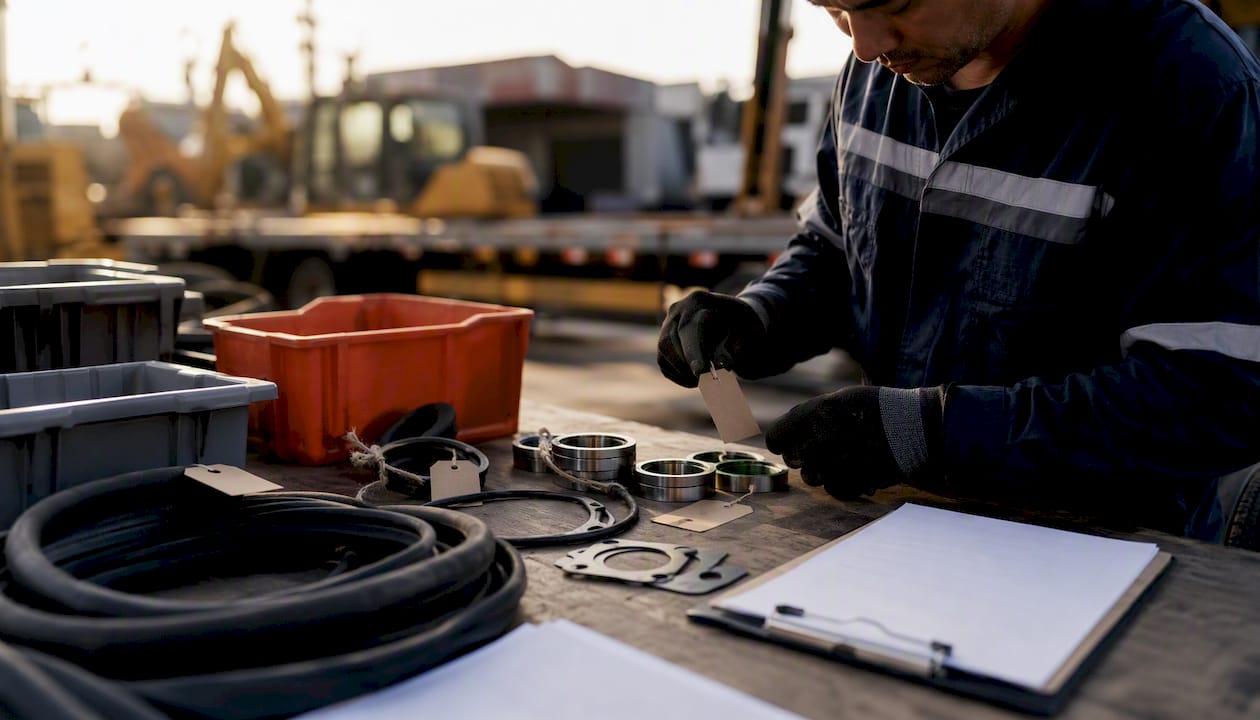
Before a work order is created, a planner confirms parts availability, skill requirements, estimated labor hours, required certifications (brake endorsements, refrigeration systems), and bay or crew availability. Skipping this step is the single fastest way to stall a repair mid-job.
Parts sourcing deserves its own discipline. Set vendor lead-time thresholds: if a part cannot arrive within your SLA window, trigger a local express option or an approved substitute immediately. Reserve inventory for critical-path components (brake pads, filters, belts) so critical-priority jobs never wait on procurement. Automated routing rules can push critical items to an immediate queue while batching medium and low items into scheduled PM windows, keeping your technicians productive rather than reactive.
How do you schedule work orders and set up PM triggers?
The work order is the operational unit of your entire fleet management process. Every field you include at creation time determines what data you have at closeout. A complete work order template includes:
- Unique WO ID
- Asset ID and description
- Request timestamp and WO creation timestamp
- Priority level
- Assigned technician
- Parts list with part numbers and quantities
- PM or repair checklist
- VMRS or repair codes
- Estimated labor hours
- Closeout fields (actual labor, findings, root cause, photos, sign-off)
Preventive maintenance scheduling works through three trigger types: odometer milestones, engine hours, and calendar date. Telematics fault codes add a fourth trigger for condition-based work. A typical PM tier structure looks like this:
| PM Tier | Trigger | Typical Scope |
|---|---|---|
| PM-A | Every several thousand miles or monthly | Oil, filters, fluid check, DVIR review |
| PM-B | Every several tens of thousands of miles or quarterly | PM-A items plus belts, hoses, brake inspection |
| PM-C | Every higher mileage range or annually | PM-B items plus major component inspection, alignment |
Meter-based triggers suit over-the-road tractors with high and variable mileage. Time-based triggers work better for yard trucks or plant equipment that accumulates engine hours without significant mileage. PM tiers triggered by the right meter align the service interval to the asset’s actual duty cycle and prevent over-servicing low-utilization units.
Pro Tip: Make compliance-critical fields required at the WO level so technicians cannot close a work order without entering a safety sign-off, torque measurements, or post-repair photos. A WO that closes without those fields is an audit liability.
What does the technician workflow look like during execution?
When a technician opens a work order on a mobile device, they should see everything needed to complete the job without a phone call: defect photos from the driver’s DVIR, the asset’s service history, the repair checklist, parts already staged, and labor logging fields. That single screen is what separates a first-time fix from a return visit.
Status lifecycle and expected SLAs:
- Open — WO created, awaiting assignment
- In progress — technician has started work
- Parts ordered — work paused pending parts arrival
- Ready for QC — repair complete, awaiting supervisor sign-off
- Complete — closed with full documentation
Status discipline matters as much as the statuses themselves. Only the assigned technician or a supervisor should move a WO from “in progress” to “complete.” Pausing a WO requires a documented reason. Supervisors handle escalations by reviewing the open WO queue, not by asking technicians verbally.
Mobile checklist items that improve first-time-fix rates:
- Torque specifications for fasteners
- Measurement fields (brake lining thickness, tire tread depth)
- Root-cause prompt (what caused the defect, not just what was replaced)
- Post-repair photo requirement
- Technician digital signature
The root-cause prompt is the most overlooked field on most checklists. Replacing a component without recording why it failed means the same failure recurs on the same asset six months later.
Which closeout fields actually protect your fleet data?
Closeout is where most fleets lose the data they need. Incomplete closeouts remove the dataset required for MTTR and MTBF trending, warranty evidence, and continuous improvement. A closed WO with only “repaired” in the notes field is operationally useless.
Required closeout fields:
- Work performed (specific actions, not generic descriptions)
- Findings (what the technician observed)
- Parts used with part numbers and quantities
- Actual labor hours (not estimated)
- Root cause
- Post-repair photos
- Technician signature
- Next recommended action or follow-up WO trigger
Once closed, the WO must write to the asset’s maintenance history and cost records. Completed work orders feeding maintenance history with parts and costs is what enables forecasting, warranty claims, and replacement planning. Without that linkage, your maintenance history is a filing cabinet of paper, not a decision-making tool.
For audit readiness, retain exportable PDFs of closed WOs coded with VMRS repair codes. When an insurance claim or a DOT audit arrives, you need to produce a complete service record for a specific asset within minutes, not hours. Audit-ready closeout records for claims are not a nice administrative detail; they are the evidence that determines claim outcomes.
What KPIs should you track and what are realistic targets?
KPIs only have value when they map back to a specific workflow stage. Tracking a metric without knowing which stage produces it means you cannot fix the right problem.
| KPI | Workflow Stage | World-Class Target |
|---|---|---|
| PM compliance % | Schedule / Execute | 95%+ |
| Defect-to-repair cycle | Identify → Close | Under 4 hours (urgent) |
| MTTR | Execute → Close | Under 4 hours |
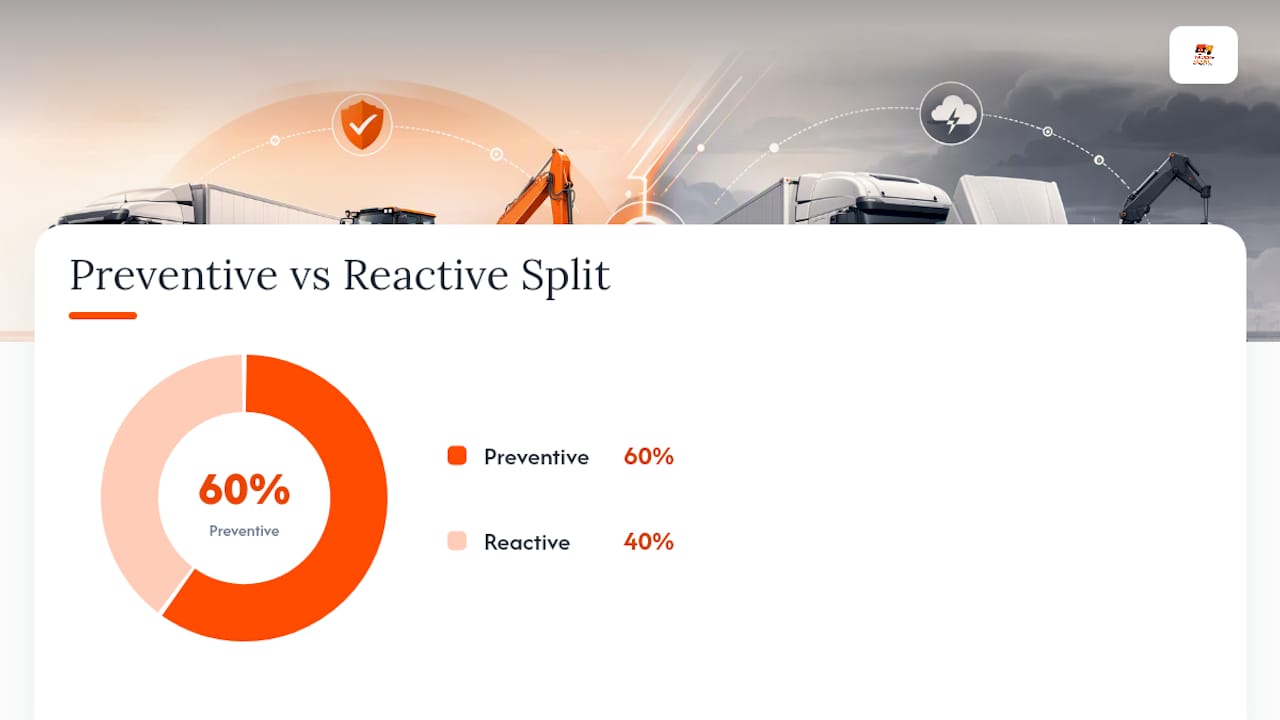
| Preventive:reactive ratio | All stages | 60:40 or better |
| First-time-fix rate | Execute | 95%+ |
| Backlog age by priority | Plan / Schedule | Zero critical WOs over 24 hours |
The FEMP fleet management framework connects asset-level data collection to strategic decisions including right-sizing and fuel reduction. Your KPI dashboard is the mechanism that makes that connection visible. A well-designed dashboard shows real-time open WO queue, aging by priority, PM compliance by unit, and root-cause clusters. When the same root cause appears on three units in 30 days, that is a spec or procurement problem, not a technician problem.
Closed-loop improvement works like this: a KPI trend identifies a pattern, you trace it to a specific stage or checklist item, you update the template or trigger, and you measure the impact over the next 30 days. That cycle, run monthly, compounds over time.
Pro Tip: Use insurance analytics for fleets alongside your maintenance KPIs. Cost-per-mile and claims frequency data reveal which assets are costing you more than their operational value justifies.
Preventive, corrective, predictive: which maintenance type fits your fleet?
Most fleets run a mix of all three, but the ratio depends on asset type and duty cycle.
Preventive maintenance (PM) uses fixed intervals (PM-A/B/C tiers) triggered by odometer, engine hours, or calendar date. It suits assets with predictable wear patterns and high utilization. Over-the-road tractors running 100,000+ miles per year benefit most from meter-based PM-A/B/C scheduling.
Corrective maintenance is reactive repair after a failure or defect report. It is unavoidable, but a preventive:reactive ratio worse than 60:40 signals that your PM program is under-resourced or poorly scheduled.
Predictive maintenance uses telematics condition data (oil pressure trends, coolant temperature anomalies, DTC fault codes) to trigger work before a failure occurs. It suits high-value assets where unplanned downtime is expensive, such as refrigerated trailers or crane trucks.
Condition-based maintenance acts on a specific sensor threshold rather than a fixed interval. A tire pressure monitoring system triggering a work order when pressure drops below spec is a simple example.
Operational trade-offs by maintenance type:
- PM: predictable cost, moderate inventory requirement, low downtime risk
- Corrective: unpredictable cost, high downtime risk, high parts urgency
- Predictive: higher upfront technology cost, lowest downtime risk, requires telematics integration
- Condition-based: low false-positive rate, requires sensor infrastructure
Yard trucks and light vans typically run well on time-based PM-A schedules. Plant equipment such as excavators and compactors accumulates hours faster than miles, making engine-hour triggers the right choice. Telematics data feeding insurance and maintenance decisions adds a predictive layer that time-based schedules alone cannot provide.
What tools and templates do you need to run this workflow?
You do not need enterprise software to run a structured fleet maintenance workflow. You need the right artifacts, and you need them enforced.
Must-have artifacts:
- Digital work order template (with all required fields listed in Stage 3)
- PM-A, PM-B, and PM-C checklists tied to recurring work orders
- Parts reorder point list by SKU and minimum stock level
- Bay schedule template (daily slots by technician and bay)
- Daily, weekly, and monthly routine calendar
For fleets under 20–30 assets, a well-structured spreadsheet-based system with digital forms can cover most of these needs. Above that threshold, a CMMS or dedicated fleet platform such as Fleetio, FMX, or SimplyFleet gives you automated triggers, mobile technician access, and reporting that spreadsheets cannot match. Automated pipelines that eliminate manual handoffs are what separate fleets hitting 95% PM compliance from those stuck at 70%.
When adapting templates to your fleet, map each checklist line to your OEM service specifications and your actual duty cycle. A generic PM-A checklist for a light van does not apply to a heavy-duty concrete mixer. AI-powered document scanning tools can help digitize legacy paper records and extract structured data from invoices, reducing the manual entry burden when you first build your system using AI document scanning for trucking.
Map your maintenance artifacts to your insurance and policy workflows. Audit-ready WO records are the evidence base for fleet insurance claims and for premium conversations at renewal. Fleets with complete, exportable maintenance histories are in a stronger position during those discussions.
Where do fleets most often fail, and what fixes it fastest?
The most common failure mode is not a technology gap. It is a handoff gap. A defect gets reported, sits in an inbox, and no one creates a work order for 48 hours. When manual handoffs replace governed SLAs, defect-to-repair cycles stretch from hours to days. That delay is the single largest driver of unplanned downtime in most fleets.
Quick wins that produce measurable results:
- Auto-generate PM work orders from odometer or engine-hour triggers (eliminates the “I forgot to schedule it” failure)
- Require closeout fields before a WO can be marked complete (preserves your data quality)
- Enforce triage SLAs: critical items must reach a technician within 2 hours of intake
- Stage parts before the bay appointment, not after the technician starts
- Use mobile DVIR apps so driver reports create intake records automatically
- Set backlog age alerts so no critical WO ages past 24 hours without a supervisor notification
Digitizing the workflow with a platform that enforces stage transitions is the fastest path to consistent execution. Automated fleet management workflows close the handoff gaps that manual processes leave open.
Pro Tip: Treat every handoff between stages as an SLA-governed checkpoint, not an informal behavior. If intake-to-triage has no time limit, it will take as long as the busiest person’s schedule allows.
Who is responsible for what in the workflow?
Clear role boundaries prevent the most common governance failure: everyone assuming someone else owns a step.
Drivers submit DVIRs at the start and end of every shift, report defects immediately with photos, and confirm vehicle readiness before departure. They do not diagnose; they describe and document.
Fleet managers own the intake queue, triage priority decisions, parts procurement approvals, and KPI reporting. They are accountable for PM compliance rates and backlog aging. They also manage the relationship between maintenance records and insurance documentation.
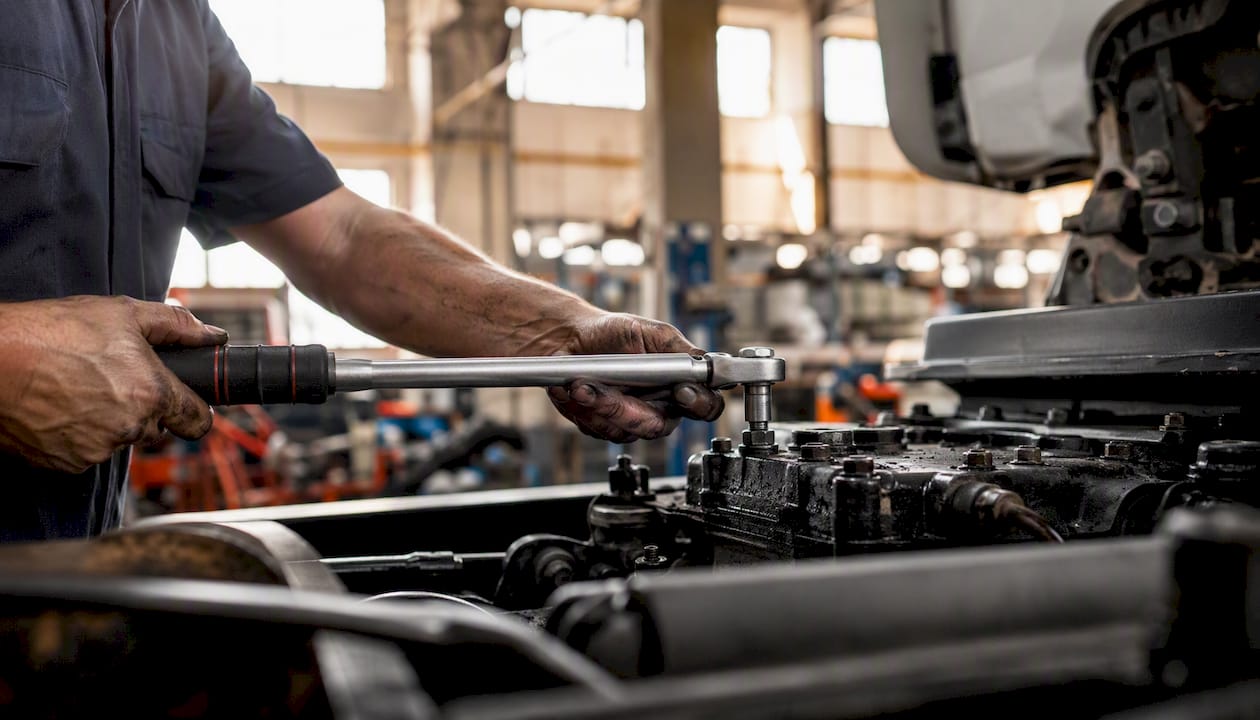
Technicians execute work orders, complete checklists, log actual labor, record root causes, and sign off on completed repairs. They escalate parts shortages or scope changes to the fleet manager, not to the driver.
Supervisors review WO status queues, approve escalations, enforce closeout standards, and conduct periodic audits of WO data quality. They are the governance layer that keeps the workflow from drifting.
Parts and procurement maintain reorder points, manage vendor relationships, and confirm lead times before a WO is scheduled. A parts coordinator who is not integrated into the planning stage is a bottleneck waiting to happen.
How should drivers, managers, and technicians communicate during a repair?
Communication in a maintenance workflow should be structured, not conversational. Phone calls and text messages create undocumented decisions that cannot be audited or trended.
The communication protocol by stage:
- Intake: driver submits DVIR or defect report through the designated app or portal; no verbal-only reports accepted
- Triage: fleet manager updates priority and adds planning notes inside the WO record; technician receives a push notification, not a phone call
- Execution: technician logs status changes and notes inside the WO; parts requests go through the system, not verbally
- Escalation: technician flags a scope change inside the WO with a documented reason; supervisor reviews and approves or redirects within a defined SLA
- Closeout: technician completes all required fields; fleet manager reviews and approves the closed WO before it writes to maintenance history
The WO record is the single source of truth. Any decision made outside it does not exist for audit, warranty, or insurance purposes. Platforms like Fleetio and FMX support in-app messaging tied to specific WOs, keeping all communication contextual and searchable.
Sample maintenance workflow calendar: daily, weekly, and monthly
A structured calendar turns the workflow from a concept into a daily operating rhythm.
Daily:
- Drivers complete pre-trip and post-trip DVIRs
- Fleet manager reviews overnight intake queue and assigns triage priority
- Technicians open assigned WOs, update status by end of shift
- Supervisor reviews open critical and high-priority WOs
Weekly:
- Fleet manager reviews PM compliance by unit for the coming 14 days
- Parts coordinator confirms stock levels against scheduled WOs
- Supervisor audits 10% of closed WOs for closeout completeness
- Backlog aging report reviewed; any critical WO over 48 hours escalated
Monthly:
- KPI review: PM compliance %, preventive:reactive ratio, MTTR, first-time-fix rate
- Root-cause cluster analysis: identify recurring failures and update checklists
- PM schedule adjusted for any units added, removed, or reassigned
- Vendor performance review: lead times, parts quality, invoice accuracy
- Insurance and compliance records audit: confirm exportable WO records are complete
This calendar is the governance structure that keeps the six-stage pipeline running without constant management intervention. Build it into your team’s standing meeting agenda and it becomes self-sustaining within 60–90 days.
The workflow adoption gap most teams don’t talk about
The technical design of a fleet maintenance workflow is rarely the hard part. Most fleet managers can sketch the six stages on a whiteboard in ten minutes. The hard part is the first 90 days after you decide to enforce it.
The most common adoption failure is bypass behavior: a technician marks a WO complete without filling in the root-cause field because it takes an extra two minutes and no one checked last week. A driver submits a verbal defect report instead of the DVIR app because the app is new and the verbal route is faster. A fleet manager approves a repair verbally to keep a driver moving and never creates a WO at all. Each bypass feels harmless in isolation. Collectively, they hollow out your data quality within weeks.
The fix is not more training. It is enforcement with consequences. Make required fields technically required, not just labeled as such. Set up automated alerts when a WO closes without a root-cause entry. Run a weekly audit of closed WOs and give technicians direct feedback on data quality. The teams that adopt this workflow fastest are the ones where the fleet manager reviews closeout quality publicly in the weekly team meeting.
Start with a pilot group of 5–10 assets. Measure MTTR and PM compliance for 30 days before expanding. The improvement in those numbers is the argument that convinces the rest of the team to follow the process. Governance by evidence is more durable than governance by mandate.
Complete maintenance records also carry direct financial value beyond operations. When you submit a claim, your insurer reviews the asset’s service history. Fleets with audit-ready maintenance records are in a materially stronger position at renewal and during claims assessment. That connection between maintenance discipline and insurance outcomes is worth communicating to every stakeholder who thinks the closeout fields are optional.
Sources
- Fleet Maintenance Workflow: 5-Stage Process (2026)
- Maintenance Overview | Fleetbase
- Work Orders: Types, Lifecycle and Best Practices
- FEMP best practices: Fleet management framework
Your maintenance records are only as strong as the process that creates them. Truckplant’s on-demand fleet insurance is built for commercial vehicle operators who understand that cover should match operations, not the other way around. When your maintenance workflow produces complete, exportable records, your claims process moves faster and your renewal conversations are grounded in evidence. Get the cover that works as hard as your fleet does.